CPU Price/Spec Comparer
Turns pasted CPU product page text into one standard comparison row, cutting comparison time by about 66% in testing.
The Problem
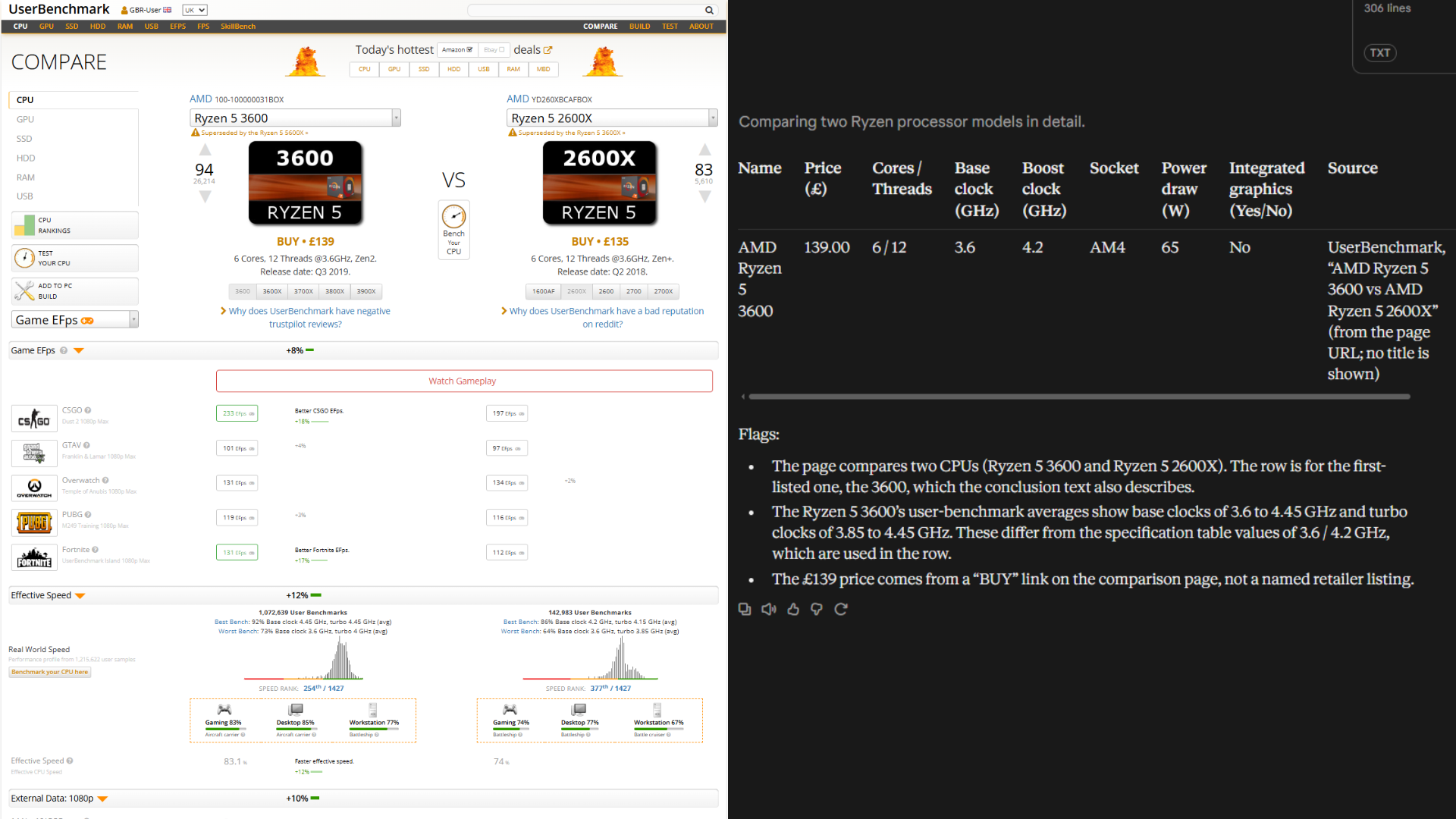
Comparing CPUs for a budget build means opening many retailer pages, finding the same specs in different layouts and typing them into a table. It is slow, easy to get wrong, and the pages are full of noise: sidebars, adverts, bundles, conflicting figures and unlabelled numbers.
What I Built
Phase 1 is a no-code tool built as written instructions in a Claude Project, so the main work was prompt design and testing. It produces one row per product (name, price, cores/threads, base and boost clock, socket, power draw, integrated graphics, source, date) plus a short list of flags to check by hand. The core rule is grounding: use only the pasted text and write "not stated" rather than guess. Scope was kept to CPUs so every value can be checked against the page.
Key Features
- One consistent row per product, ignoring sidebars, adverts and bundles
- Grounded output: missing values are "not stated", never guessed
- Conflicts between sources resolved in favour of the retailer's own text and flagged
- Flags for used, OEM, non-UK or non-£ listings
- Four instruction versions (v1, v2, v2.1, v3) kept and tested against the same answer key
Tech Stack
- Claude Projects
- Running the instruction-based extraction tool
- Prompt engineering
- Rules for grounding, formatting and flagging
- Hand-built answer key
- Field-by-field evaluation of every version
- Python + LLM API (planned)
- Phase 2: batch processing to CSV
Experiments & Results
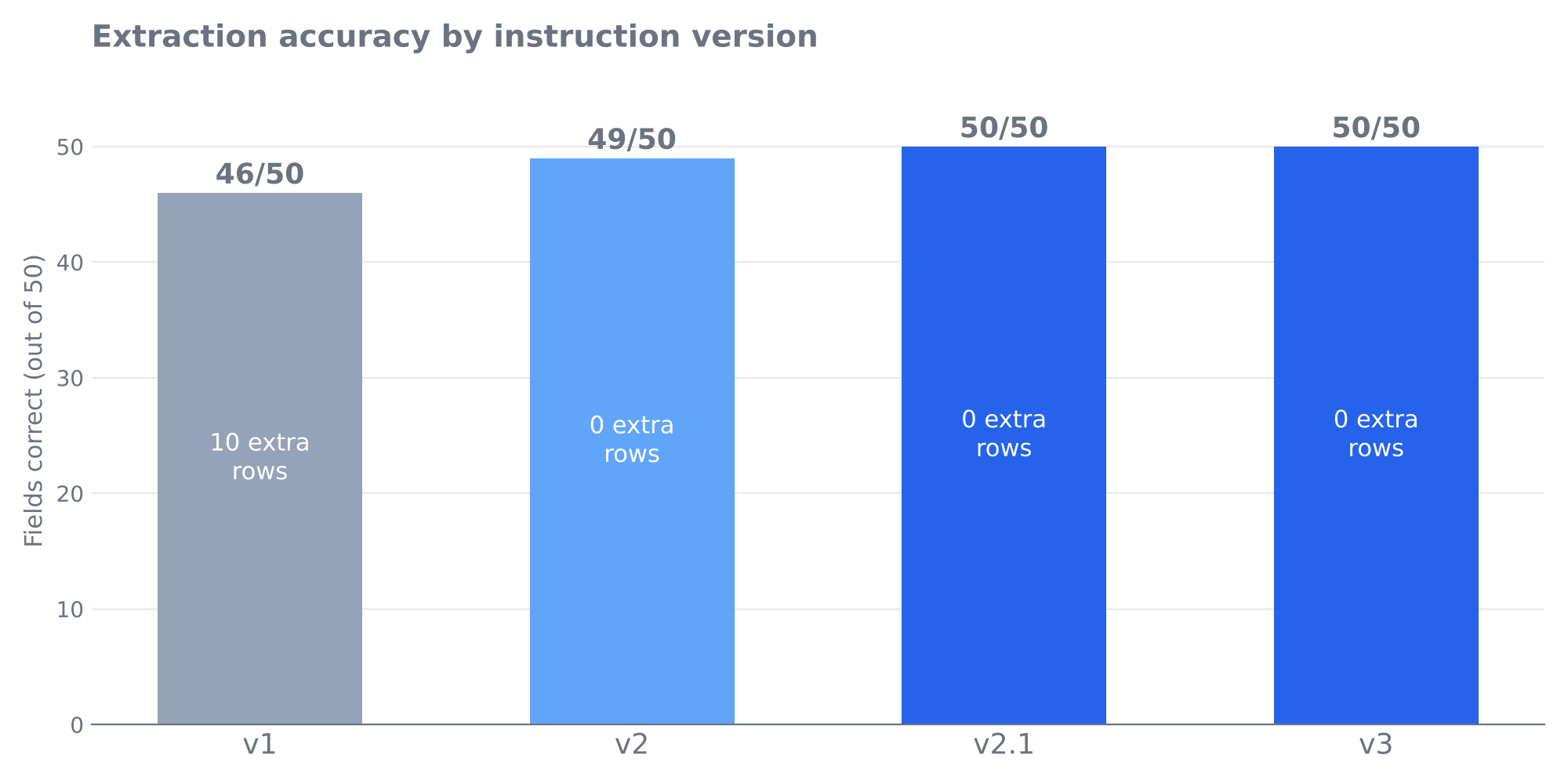
- v1 instructions
- 46/50 fields correct, 10 unwanted extra rows
- v2 instructions
- 49/50 fields correct, 0 extra rows
- v2.1 and v3 instructions
- 50/50 fields correct, 0 extra rows
- Five messier pages (used, comparison, manufacturer, marketplace, OEM)
- All matched the answer key on v3, with problems correctly flagged
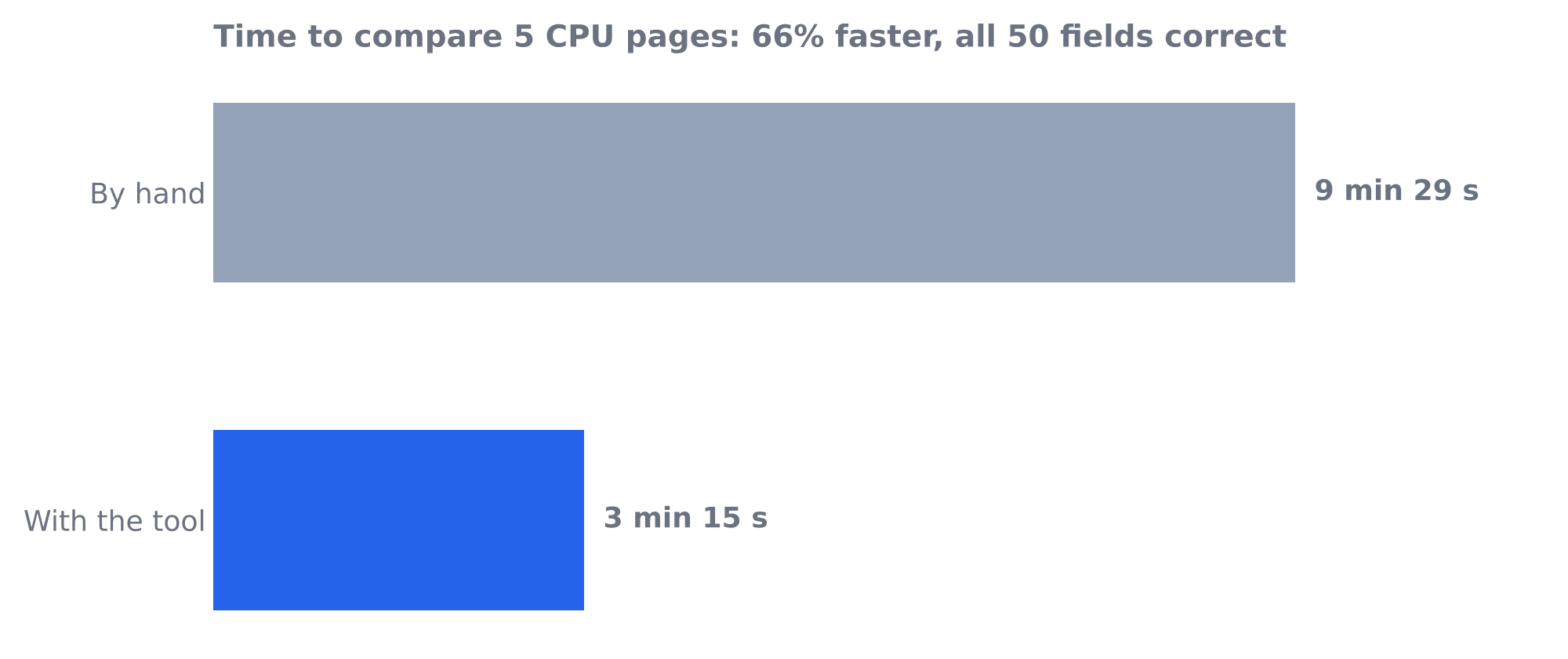
- Timed run vs by hand (5 pages)
- 3 min 15 s vs 9 min 29 s, a 66% saving, with all 50 fields correct
Challenges & What I Learned
v1 filled in clock speeds from unlabelled figures, built extra rows from sidebar listings and put two values in one field when sources conflicted. Each error was logged by type and fixed with a targeted rule. Several differences turned out to be mistakes in my own answer key, not the tool, which showed how risky manual checking can be. Every test ran in a fresh chat so earlier pages could not influence later ones.
Limitations & Caveats
- Small sample: ten test pages, one run each per version.
- The hand table was done first, so 66% time saving is likely an upper bound.
- Output varied between runs in v1, so one clean run does not prove reliability.
- Some answer-key judgement calls, e.g. non-£ prices are "not stated" rather than converted.
- Prices are snapshots; each row records its date and source.
Project Outcome
Phase 1 (no-code version) is complete: v3 matched the answer key on all ten test pages. Phase 2 is in progress.
Next Steps
- Phase 2: a Python script that sends page text to an LLM API and writes a CSV, using the error log as an automated test set
- Add sanity checks such as prices outside a sensible range and missing specs
- Test more OEM or tray listings
- Retest timing on new pages, alternating hand-first and tool-first
- Possible extension: CPU socket and motherboard compatibility check